
Amazon Ads,
Without the Complexity.
One place to analyse, build and optimise your Amazon advertising. Xquantum brings your Sponsored Products, Sponsored Brands and Sponsored Display data into one powerful workspace.
Understand what is driving performance, build campaigns at scale and automate repetitive optimisation — all without jumping between reports and spreadsheets.
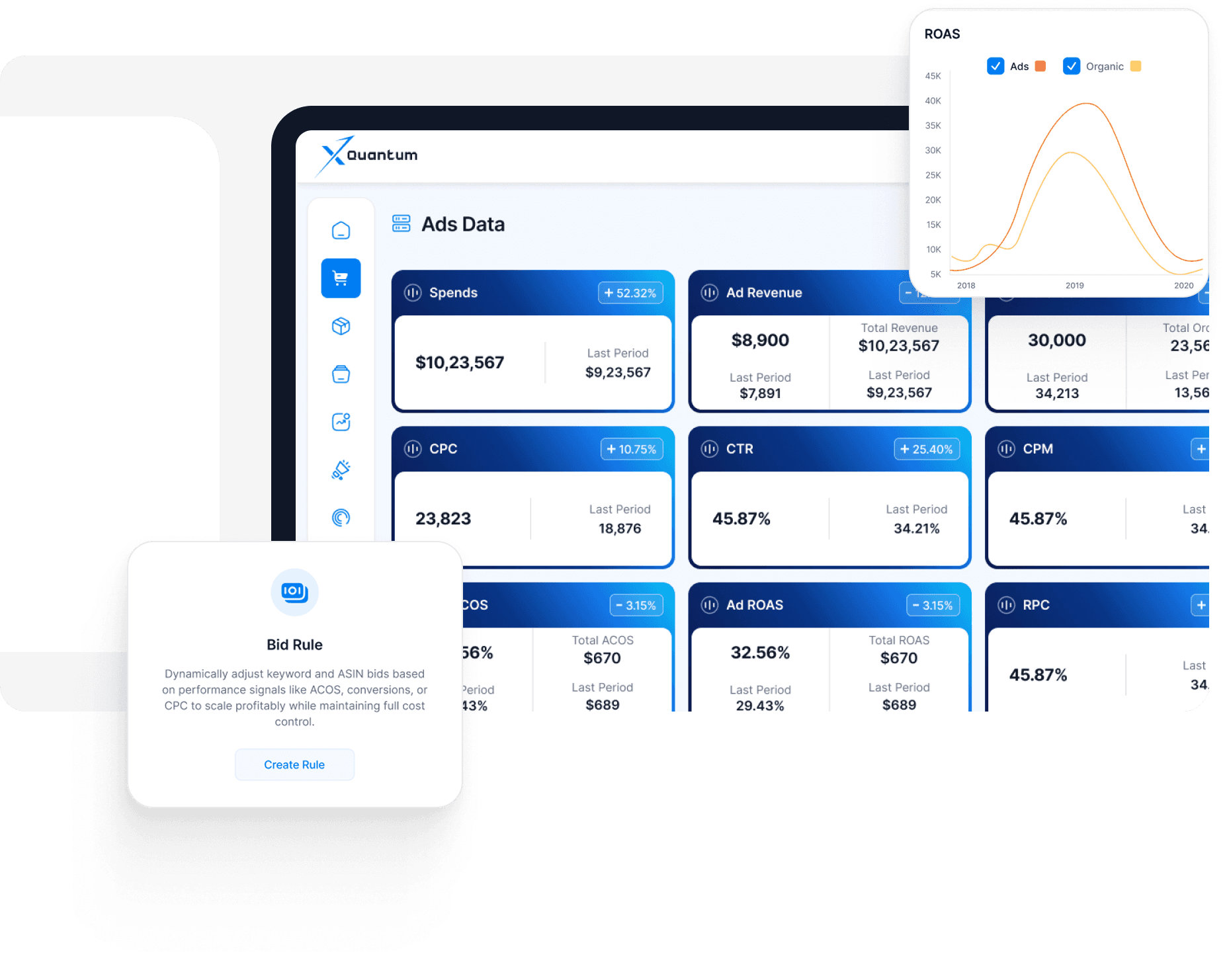
Ads Reporting & Optimisation
Know Where Your Ad Spend Is Going. And What It Is Delivering.
Amazon Ads generates a huge amount of data. Xquantum brings it together and turns it into a clear, actionable view of your advertising performance. From campaign and placement performance to targeting, search terms and advertised products, see everything in one place — and drill down to understand what is actually driving your results.
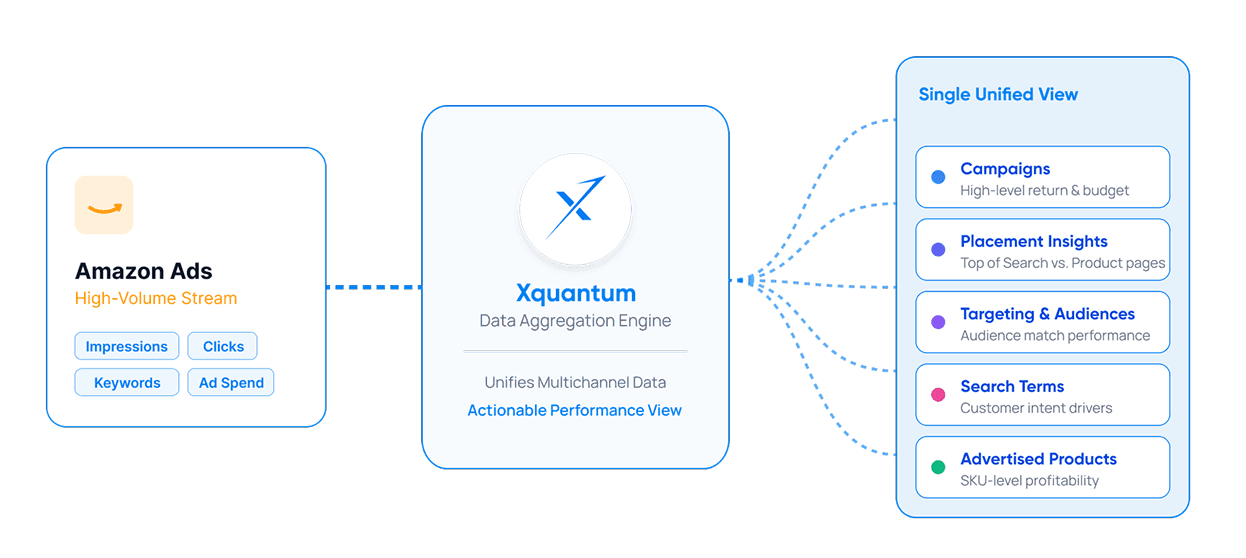
Access all your key Amazon advertising reports from a single interface:
- Campaign Report
- Budget Report
- Placement Report
- Targeting Report
- Search Term Report
- Advertised Product Report
Available across Sponsored Products, Sponsored Brands and Sponsored Display.
Xquantum breaks your advertising data into 15 detailed reporting views, allowing you to move from a high-level account view right down to the individual keyword, search term or ASIN. Analyse performance across:
- Campaign type and campaign
- Campaign and ad group
- Bidding strategy
- Placement
- ASIN / advertised product
- Targeting and keywords
- Customer search terms
- And more
Then break the data down further by day, day of week, week or month.
Get a complete view of your advertising performance with key PPC metrics including:
- Spend · Sales · Orders · Clicks
- Impressions · CPC · CPM · CTR
- ROAS · ACOS · CVR · RPC
A campaign may look profitable at first glance. But what is actually driving that performance? Drill down from campaign → ad group → targeting → keyword → search term → ASIN to understand exactly where your spend and sales are coming from.
Don't just look at today's numbers. Compare performance across days, weeks and months, or analyse specific days of the week to identify trends, changes and opportunities.
Turn insights into action directly from the reporting interface.
- Pause or enable campaigns
- Increase or decrease campaign budgets
- Adjust placement modifiers
- Pause or enable keywords
- Change keyword bids
See it. Understand it. Optimise it.
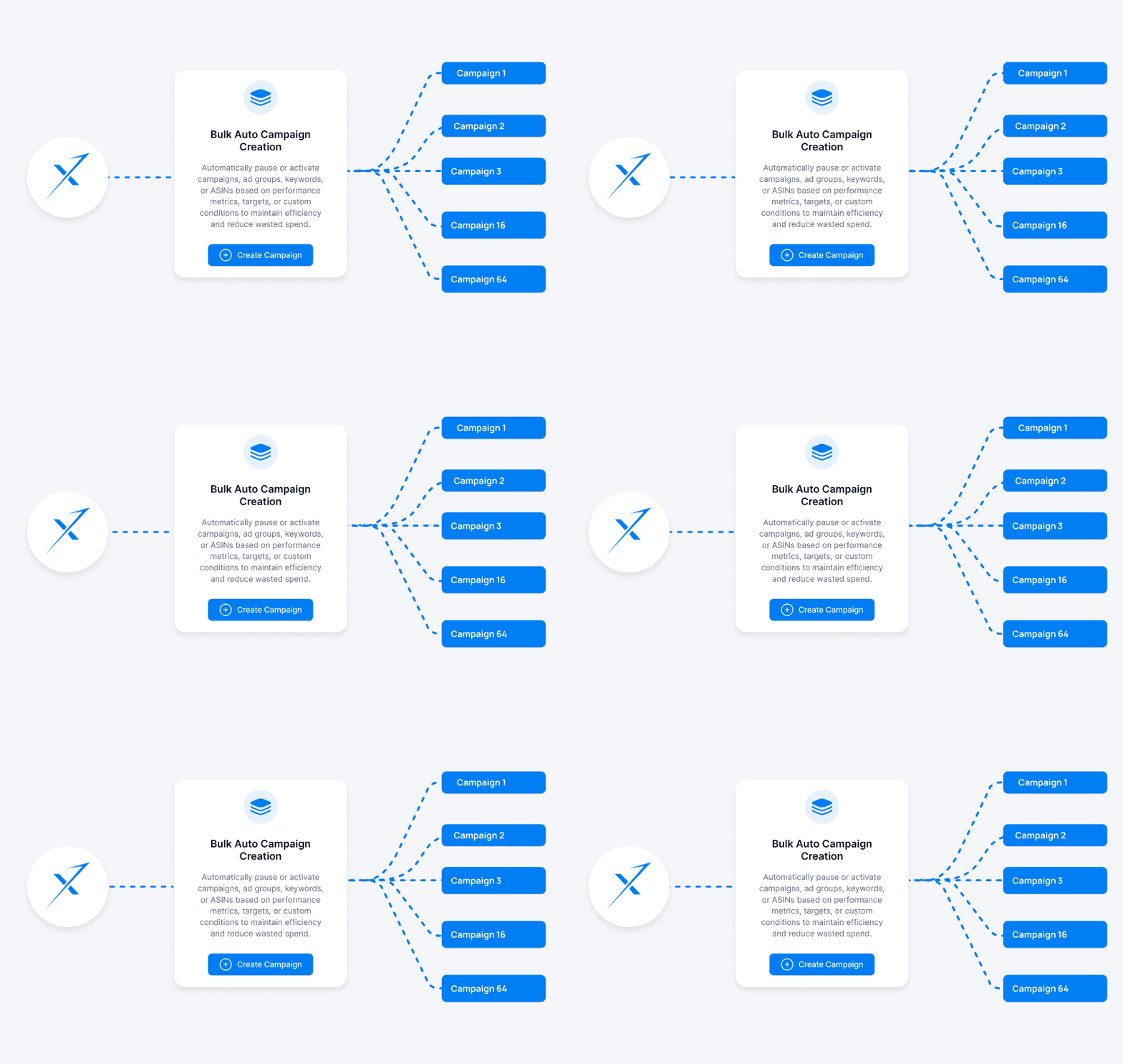
Create hundreds of campaigns and ad groups across multiple ASINs in a single workflow. Build:
- Sponsored Products Auto campaigns
- Sponsored Products Keyword Targeting campaigns
- Sponsored Products Product Targeting campaigns
Group campaigns based on products, targeting or both, giving you more flexibility over how you structure your account.
Campaign creation shouldn't start with a blank keyword list. Xquantum helps you discover opportunities from two important sources:
Analyse Amazon's suggested keywords and see whether they already exist in your campaigns. If they do, understand how they are currently performing.
Use your existing search-term data to identify relevant terms customers are actually searching and converting on.
See the keyword, existing targeting and PPC performance together — then decide where it belongs in your campaign structure.
Group keywords based on your strategy, select the relevant products and targeting types, set your campaign structure and launch in bulk.
What could take hours of repetitive work can be handled through one streamlined workflow.
Whether you're launching campaigns for a handful of ASINs or managing hundreds of products, Xquantum helps you move from campaign strategy to execution faster.
Build once. Launch at scale.
Bulk Campaign Creation
Launch Hundreds of Campaigns Without Hundreds of Hours.
Creating Amazon campaigns at scale can be repetitive and time-consuming. Xquantum simplifies campaign creation so you can build campaigns across multiple ASINs, targeting types and ad groups in one workflow. Instead of creating campaigns one by one or managing complex flat files, build your campaign structure in bulk and get your strategy live faster.
Rule-Based Automation
Let Automation Handle the Repetitive Work.
Amazon advertising needs constant attention. But not every optimisation needs to be done manually. With Xquantum, define your conditions once and let the platform continuously monitor performance and execute the actions you've specified. You stay in control of the strategy. Xquantum handles the repetitive work.
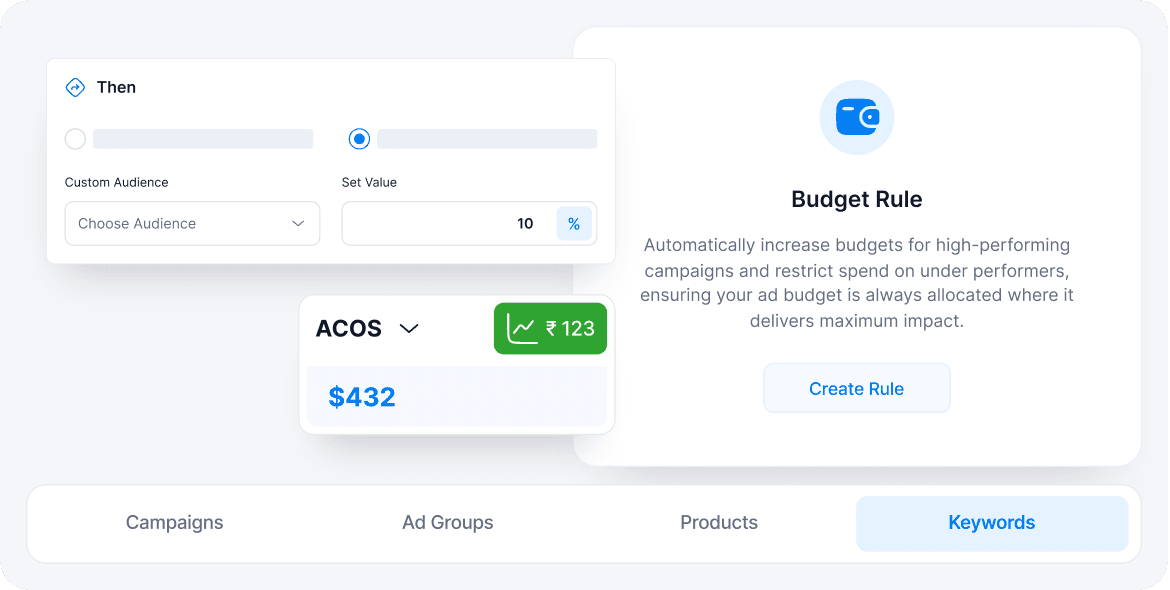
Create rules to automatically enable or pause campaigns when your defined performance conditions are met.
Automatically increase or decrease campaign budgets based on your chosen conditions, helping you respond to campaign performance without constantly monitoring budgets manually.
Set rules to automatically increase or decrease keyword and product-target bids based on the performance metrics that matter to you.
Create rules for Top of Search, Product Pages and Rest of Search placement adjustments based on your defined conditions.
Create inventory-based rules that can automatically adjust or pause advertising when a product reaches a predefined inventory level.
Turn successful customer search behaviour into new targeting opportunities. Set rules to identify high-performing search terms and automatically add them as keywords based on your criteria.
Reduce wasted spend by creating rules that identify inefficient search terms and automatically add them as negative keywords.
Apply automation at the level you need:
- Product
- Campaign
- Ad Group
- Keyword
Create multiple rules across your account and let Xquantum continuously monitor and act on them.
Define your conditions once. Let Xquantum monitor performance, identify when those conditions are met and execute the actions automatically.
Less manual monitoring. More consistent optimisation.
Yes. Xquantum allows you to create, manage and monitor Amazon Advertising campaigns directly from the platform.
Yes. Depending on your subscribed Plan, Xquantum supports bulk campaign creation and management, helping you save time when working across multiple products and campaigns.
Yes. Xquantum allows you to set up automation rules to help launch your Ads faster and manage your Ad Campaigns more efficiently.
You can define rules based on performance metrics and business objectives, reducing the need for repetitive manual optimisation.